Content Ideas for Social Media Marketing
Discover practical content ideas for social media marketing from my real experience. Learn tips, engagement strategies, and creative approaches to grow your brand organically.

Main Highlights Regarding Social Media Content Ideas
• How I overcame creative blocks and consistently generated content for multiple platforms
• Practical methods for brainstorming ideas using real tools and resources
• Step by step process to plan content around audience interests and trends
• Lessons I learned from trial and error campaigns
• Tips for repurposing content to maximize reach and engagement
Short Introduction
I remember when I first started managing social media for my small business, I constantly hit a wall. Every day felt like “post something or die,” but I had no real content ideas. I would spend hours scrolling through Instagram and LinkedIn, hoping for inspiration but nothing clicked.
After months of trial and error, I finally developed a systematic approach to content ideas that not only kept my channels active but also increased engagement dramatically. In this post, I’m sharing exactly how I generate content ideas for social media, what I got wrong the first time, and practical steps you can follow to do the same.
Materials I Used
Here are the tools and “materials” I relied on to make content planning easier:
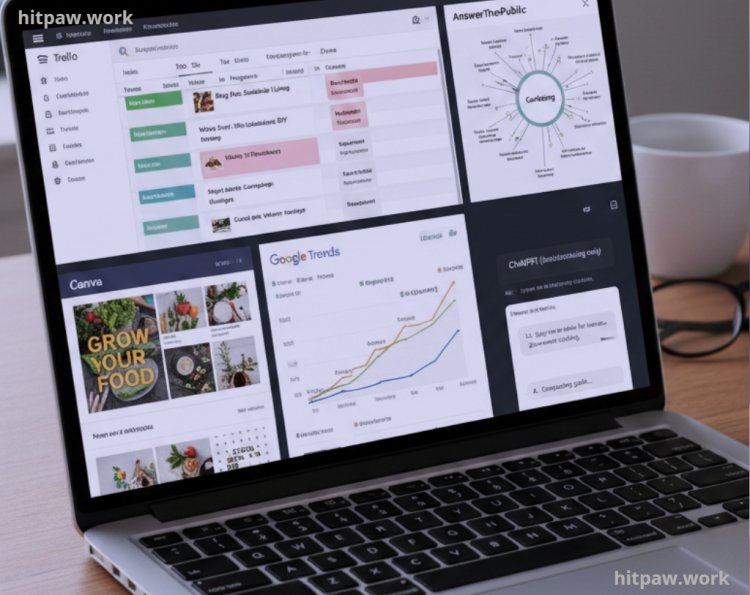
• Trello for organizing content ideas in boards and lists
• Google Trends to see what topics are currently hot
• AnswerThePublic for understanding audience questions and concerns
• Canva for creating quick visuals and graphics
• ChatGPT (sparingly) only to brainstorm, never to create final posts
• My own content calendar spreadsheet simple columns for date, platform, content type, post caption, and engagement notes
Other “materials” include:
• Analytics from social platforms (Instagram Insights, LinkedIn Analytics, YouTube Studio)
• Feedback from real followers through polls and DMs
• Notes from my personal experience running campaigns and creating content
Step 1: Start With Your Audience
One of the biggest mistakes I made initially was creating content I liked, not content my audience wanted. I learned to shift my mindset: every post had to solve a problem, entertain, or educate.
What I did:
• I created an audience persona: age, interests, pain points, favorite platforms
• I monitored competitor posts to see which got high engagement
• I read comments and DMs to uncover questions and curiosities
This gave me dozens of content seeds in one week alone.
Tip: Use a “content question bank.” Every time someone asks a question, I add it to Trello as a potential post. Over time, this became my ultimate resource for content inspiration.
Step 2: Brainstorm Content Categories
To avoid random posting, I categorized my content into consistent themes. For me, these categories included:
1. Tips & How To Posts actionable advice my audience could use immediately
2. Behind the Scenes showing how I work, my tools, and processes
3. Success Stories & Case Studies real examples of campaigns I ran
4. Industry News & Trends commenting on new updates or viral content
5. Engagement Posts polls, questions, and “caption this” posts
Lesson Learned: At first, I tried to post everything everywhere. That led to burnout. I learned that sticking to 3 to 4 categories per platform kept me consistent without overwhelming myself.
Step 3: Use Tools to Discover Fresh Ideas
I heavily rely on tools to discover trending and relevant content topics:
• Google Trends: I type in niche keywords like “social media marketing tips” and look at rising trends
• AnswerThePublic: This shows questions people ask online, which I turn into how to posts
• BuzzSumo: Great for seeing which posts are performing best in my industry
Example: I noticed a spike in searches for “Instagram reels ideas for small businesses.” I immediately created a mini series on reels content, which became one of my most engaging campaigns.
Step 4: Create a Content Calendar
I set up a weekly and monthly content calendar in Trello:
• Monday: Tips & How To Post
• Wednesday: Behind the Scenes Story
• Friday: Engagement Post or Poll
• Sunday: Weekly roundup or motivational post
Step by Step:
1. Brainstorm 10 to 15 post ideas per week
2. Assign categories and platforms
3. Schedule posts using tools like Buffer or Later
4. Track performance and adjust
This gave me structure and eliminated the daily “what should I post today?” stress.
Step 5: Repurpose Content Across Platforms
I quickly learned that one piece of content could be transformed multiple ways:
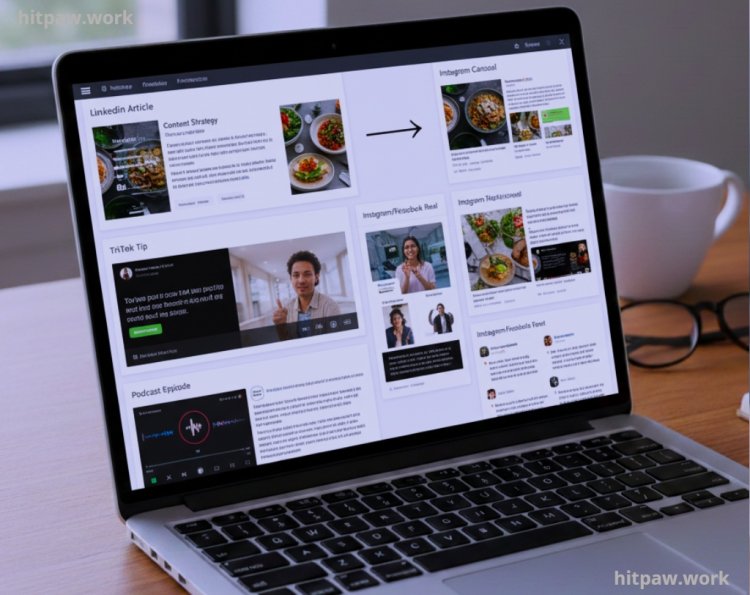
• A LinkedIn article > carousel post on Instagram
• A TikTok tip > short reel for Instagram & Facebook
• A podcast episode > snippets for Twitter/X
This multiplies content without extra effort and ensures my message reaches audiences on their preferred platform.
What I Got Wrong the First Time
When I started creating content, I made a few mistakes that cost me engagement and time:
• Posting without a plan: I used to post random ideas without thinking about audience needs. As a result, some posts got very little attention.
• Focusing only on quantity: I thought posting more would automatically grow my reach, but quality mattered far more.
• Ignoring feedback: At first, I ignored comments and DMs, missing opportunities to understand what my audience actually wanted.
• Overcomplicating content: I tried to make posts overly detailed or “perfect,” which often confused readers.
Fixing these mistakes taught me to plan content, focus on value, listen to feedback, and keep things simple.
Step 6: Engage With Your Audience
I realized content ideas alone weren’t enough. Engagement creates more content opportunities:
• Reply to every comment or DM
• Ask follow up questions to spark conversation
• Use polls to find out what topics your audience wants next
Example: A follower asked about “how to schedule content efficiently.” That one question led to a full carousel post that got 500+ likes on Instagram.
Step 7: Track & Analyze Performance
I monitor metrics weekly:
• Post reach
• Engagement rate (likes + comments + shares ÷ followers)
• Click through rate for links
This data helps me prioritize content that works and adjust or discard posts that don’t perform.
Maintenance Table
|
Metric |
Tool Used |
Frequency |
Action Taken |
|
Engagement Rate |
Instagram Insights |
Weekly |
Boost best performing posts |
|
Click through Rate |
LinkedIn Analytics |
Weekly |
Update captions/CTA if low |
|
Video Views |
TikTok Analytics |
Weekly |
Repurpose high performing clips |
|
Poll/Survey Responses |
Instagram Stories |
Weekly |
Generate next week’s content ideas |
Step 8: My Favorite Content Idea Formulas
Here’s what works best for me:
1. Listicles: “5 Tips to Grow Organic Reach on Instagram”
2. Before & After Case Studies: Shows tangible results
3. Tutorial Videos: Short, actionable steps
4. Behind the Scenes Stories: Humanizes your brand
5. User Generated Content: Showcase followers or clients
I follow this formula weekly to maintain variety and engagement.
Real Feedback I Collected
When I first started posting consistently on social media, I wasn’t sure what would resonate. Over time, I collected feedback that really shaped my approach:
• Comments & Messages: People appreciated content that was practical and actionable, like tips they could apply immediately.
• Shares & Saves: Posts with step by step guides or templates were the most saved and shared.
• Engagement Patterns: Short, visually appealing posts got more attention than long text only posts.
• Direct Client Feedback: Some businesses reached out specifically because they liked the way I explained ideas clearly and creatively.
This feedback taught me to focus on value over volume, listen to my audience, and adapt content based on real responses.
Tips From My Experience
Over the years, I’ve learned a few practical tricks that really helped me improve engagement and save time:
• Plan Ahead: I create a 2 week content calendar in advance. This keeps me consistent and reduces last minute stress.
• Repurpose Content: I take one idea and make multiple formats carousel posts, short videos, and stories so I get more reach from the same effort.
• Engage Quickly: I try to reply to comments and messages within a few hours. Quick engagement signals to the algorithm that my content is valuable.
• Test Small, Scale Fast: Before investing too much time in one type of content, I test with small posts. If they perform well, I scale the idea.
• Track Metrics That Matter: I focus on saves, shares, and comments rather than just likes, as they indicate real interest.
• Stay Inspired, Not Imitative: I follow other creators for inspiration, but I make sure my content has my unique style and voice.
How I Think About Social Media Content Now
From my experience, the key to social media success isn’t just posting frequently it’s about consistency, value, and understanding your audience. I focus on creating content that solves problems, sparks conversation, or entertains, rather than chasing trends blindly.
I’ve learned that engagement grows when I listen to my audience, adjust based on what resonates, and maintain a steady posting rhythm. Even small wins matter each comment, share, or like is a step toward building trust and a loyal community.
Frequently Asked Questions
1. How many posts should I create per week?
I personally stick to 4 to 5 posts per week. It keeps the audience engaged without burning out, but you can adjust based on your capacity and platform.
2. Can I reuse the same content across different platforms?
Yes, but make small adjustments to captions, format, and hashtags. Repurposing content saves time and reaches more people.
3. How do I generate fresh content ideas if I feel stuck?
I recommend listening to your audience, checking trending topics, using tools like Answer The Public and Google Trends, and keeping a swipe file of inspiring posts.
4. What type of content gets the best engagement?
Actionable tips, tutorials, behind the scenes stories, and user generated content usually get the highest engagement.
5. How long does it take to see results from social media content?
Consistent posting for 2 to 3 months generally starts showing measurable engagement and reach improvements.
6. Should I focus more on quality or quantity?
Always prioritize quality. A single valuable post will outperform multiple random posts that don’t provide value.
What's Your Reaction?