Tools That Save Time and Increase Productivity
Discover the best tools and strategies that helped me work smarter, reduce stress, and boost productivity. Learn practical tips from real workflows and my personal experience.

Key Points Regarding Tools That Save Time and Increase Productivity
• I was busy all day but still missing deadlines
• My real problem was disorganized tools, not lack of effort
• I reduced 6 to 8 wasted hours per week by fixing my workflow
• The best tools are simple, not complicated
• Automation works only after clarity
• Tool overload actually reduces productivity
• Reviewing tools every quarter keeps the system sharp
• Systems reduce stress more than motivation
The Problem That Forced Me to Change
A few years ago, I believed being productive meant staying busy. My laptop was always open. My notifications never stopped. I worked late nights and still felt behind.
The truth? I was wasting time every single day.
I lost time searching for files.
I forgot follow ups.
I switched between apps constantly.
I rewrote instructions I had already received.
It wasn’t that I lacked discipline. I lacked structure.
The turning point came during a content management project where I handled 32 blog posts across three clients. Deadlines overlapped. Feedback was scattered. One missed revision almost cost me a long term contract.
That moment made me rebuild everything.
This article is based on the real system I created after that experience not theory, not copied advice but tools I personally tested during real deadlines.
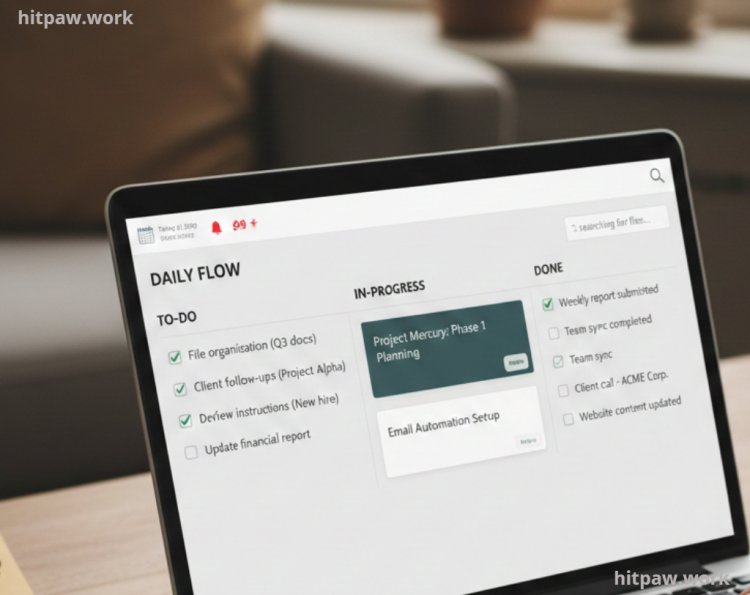
How I Was Losing Time Without Realizing It
Before improving my system, my day looked like this:
• 20+ email checks
• Switching between WhatsApp, Slack, and email
• Random file naming
• Task lists in notebook + phone + memory
• No fixed workflow
It felt like work. But it wasn’t productive work.
I was reacting instead of operating.
The biggest problem was context switching. Every time I moved between tools, my focus dropped. Research shows it takes several minutes to regain deep focus after switching tasks. I was doing that dozens of times daily.
That’s when I decided:
Instead of working harder, I’ll redesign how I work.
Materials I Personally Use
Below is my real stack. I’ve tested dozens of tools, but these are the ones that stayed.
1. Central Brain
I don’t use heavy templates.
I created a simple dashboard with:
• Master Project Tracker
• Content Calendar
• Client Database
• Revision Log
• Weekly Planning Page
Why Notion works for me:
• Everything lives in one place
• I can link projects to tasks
• I reduce mental overload
Earlier, I used spreadsheets + notebooks + random apps. Now everything connects.
2. Task Execution
I use Todoist only for:
• Daily top 5 tasks
• Follow ups
• Deadlines
Rule I follow:
Never add more than 7 tasks per day.
If I overload the day, quality drops.
3. Writing & Documentation
I draft everything in Google Docs.
Why I prefer it:
• Automatic saving
• Comment system for feedback
• Easy sharing
• Version history
Fancy writing apps distracted me with design features. Docs keeps it simple.
4. Calendar Control
I schedule:
• Deep work blocks (90 minutes)
• Admin tasks
• Calls
• Review sessions
Before time blocking, my day felt random. Now it has structure.
5. File Organization
My structure:
Client Name
Project Name
1_Drafts
2_Revisions
3_Final
4_Research
5_Assets
This single change probably saved me 2 to 3 hours weekly.
No more searching.
6. Automation
I don’t over automate.
I use simple triggers like:
• Form submission > Task created
• Calendar booking > Slack notification
• Email with label > Notion entry
Automation should remove repetition, not add complexity.
Real Workflow Before & After
Before System Upgrade
Morning routine:
Open laptop > Check email > Reply randomly > Search tasks > Start something urgent > Get interrupted > Forget original task.
End result:
Busy day. Low output.
Problems:
• Forgotten follow ups
• Delayed revisions
• Mental exhaustion
After System Upgrade
Morning routine:
Open Notion dashboard > Review daily 5 tasks > Start scheduled deep work > Check communication at fixed times.
End result:
Focused day. Clear output.
What changed?
Not motivation.
Structure.
Real Feedback From My Experience
After 6 months of using this system, I noticed measurable changes:
• 25 to 35% faster task completion
• Fewer missed deadlines
• Reduced mental fatigue
• Better client communication
• More predictable workflow
But the biggest change was psychological.
I stopped feeling behind.
When everything is visible and organized, your brain relaxes.
What I Got Wrong the First Time
When I first tried to improve productivity, I made serious mistakes.
Mistake 1: Tool Overload
I signed up for:
• ClickUp
• Asana
• Trello
• Monday.com
• Notion
• Airtable
All at once.
Instead of clarity, I created chaos.
Fix:
Now I test one tool at a time.
Mistake 2: Copying Influencer Systems
I copied productivity setups from YouTube creators with teams of 10+ people.
I work solo.
Their system slowed me down.
Fix:
I built a workflow based on my real tasks.
Mistake 3: Automating Broken Processes
I automated tasks before fixing the workflow.
Automation made confusion faster.
Fix:
First simplify. Then automate.
How I Built My Productivity System
Here is the exact process I followed.
Step 1: Track Where Time Was Actually Going
For 7 days, I tracked:
• Task start time
• Task end time
• Interruptions
• App switching
Result:
I was losing 90 to 120 minutes daily in switching and searching.
Awareness was powerful.
Step 2: Identify Repeated Friction
I wrote down recurring problems:
• Searching for files
• Forgetting follow ups
• Overloaded task lists
• Unclear priorities
Each problem needed a tool or structure fix.
Step 3: Assign One Tool Per Function
I decided:
Planning > Notion
Daily tasks > Todoist
Files > Google Drive
Communication > Slack
Scheduling > Google Calendar
No overlapping roles.
Step 4: Create Rules
Tools are useless without rules.
My rules:
• Email checked 3 times daily
• Tasks limited to 7 per day
• Files named with date + topic
• Weekly review every Sunday
Rules created consistency.
Step 5: Weekly Review
Every Sunday I check:
• Completed tasks
• Pending items
• Deadlines next week
• Remove unnecessary entries
This 30 minute review prevents chaos.
Where I Actually Saved the Most Time
When I first optimized my workflow, I assumed automation would save the most time.
It didn’t.
The biggest time savings came from three simple changes:
1. Clear file structure
2. Defined daily priorities
3. Controlled communication windows
Let me explain how each one changed my productivity.
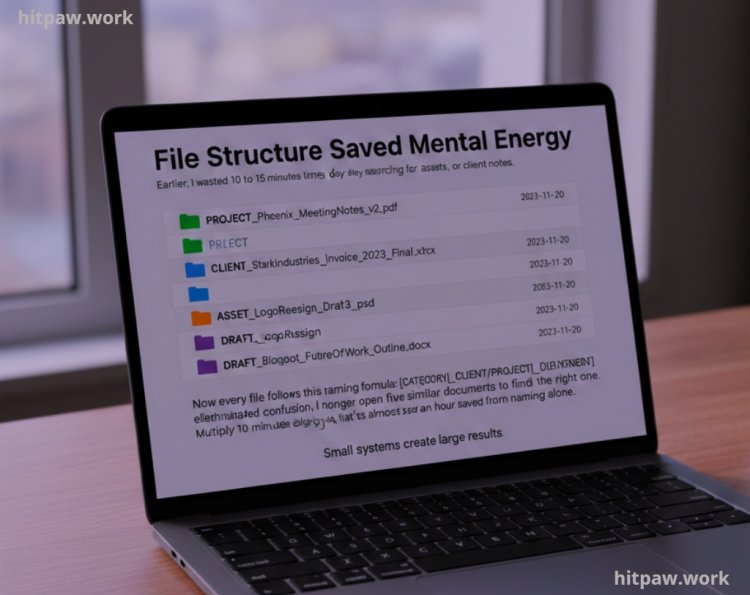
1. File Structure Saved Mental Energy
Earlier, I wasted 10 to 15 minutes multiple times per day searching for drafts, assets, or client notes.
Now every file follows this naming formula:
This simple rule eliminated confusion.
I no longer open five similar documents to find the right one. Multiply 10 minutes daily by 5 days per week that’s almost an hour saved from naming alone.
Small systems create large results.
2. Limiting Daily Tasks Increased Output
I used to create long task lists 15 to 20 items per day.
By 4 PM, I felt like a failure because half were incomplete.
Now I choose 5 priority tasks.
That’s it.
Surprisingly, I complete more meaningful work because my focus isn’t scattered.
Productivity isn’t about how many tasks you list. It’s about finishing important ones.
3. Communication Boundaries Reduced Interruptions
Before optimization:
• Constant notifications
• Instant replies
• Random call scheduling
Now:
• Email checked at 11 AM, 3 PM, 6 PM
• Slack notifications muted during deep work
• Calls scheduled inside fixed calendar blocks
This alone improved my concentration dramatically.
Interruptions are silent productivity killers.
Why These Tools Increased My Productivity (Not Just Saved Time)
Saving time is helpful.
But what really improved was output quality.
Here’s why:
Clarity Improved Thinking
When I don’t worry about missing tasks, my mind focuses on strategy and creativity.
Mental space creates better ideas.
Reduced Decision Fatigue
Earlier I made micro decisions all day:
• Where should this go?
• What should I start?
• Did I miss something?
Now those decisions are already defined by my system.
Less thinking about logistics = more thinking about work.
Predictable Workflow Reduced Stress
One of the biggest changes I noticed after organizing my tools and workflow was how much stress it removed from my day. Before, I constantly scrambled between tasks, forgetting priorities and feeling overwhelmed.
By creating a predictable workflow, I knew exactly what to do next, which tools to use, and when to take breaks. This clarity not only improved focus and efficiency but also made work feel manageable and less exhausting.
Having a structured routine with the right tools gave me a sense of control and confidence, turning chaotic workdays into smooth, productive ones.
Tips From My Experience
These lessons came from real mistakes and corrections.
1. Don’t Add a Tool to Feel Productive
Downloading a new app feels productive.
It isn’t.
Only add tools that solve a real recurring problem.
2. Master Before Expanding
When I fully learned Notion shortcuts and templates, my efficiency doubled.
Depth beats variety.
3. Keep One Source of Truth
For me, that’s Notion.
If information lives in multiple places, confusion returns.
4. Review Your System After Growth
As workload increases, tools may need adjustment.
But adjust slowly.
Sudden changes disrupt flow.
5. Stability Beats Trendy Tools
Every year new “revolutionary productivity apps” appear.
Most disappear.
Reliable tools with strong ecosystems last longer.
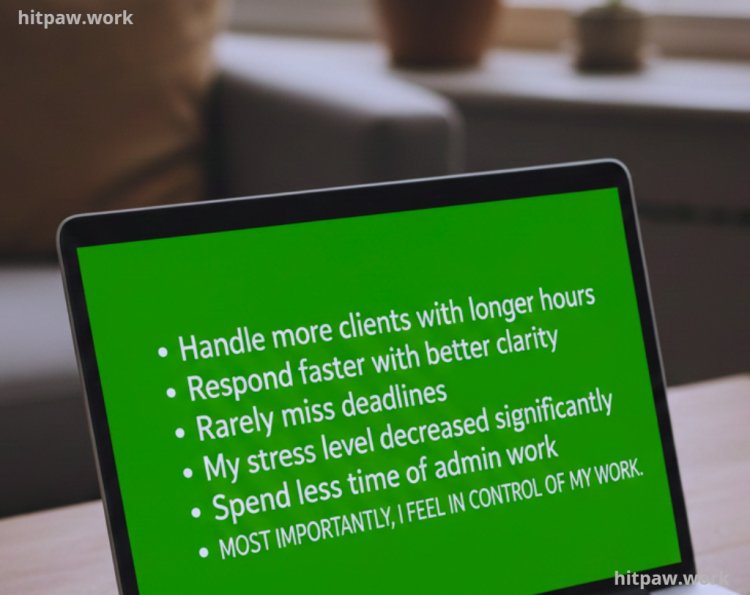
Real Results After One Year
After maintaining this system consistently:
• I handle more clients without longer hours
• I respond faster with better clarity
• I rarely miss deadlines
• My stress level decreased significantly
• I spend less time on admin work
Most importantly, I feel in control of my work.
That feeling is powerful.
How I Think About Productivity Tools Now
Looking back at my journey, the biggest lesson I’ve learned is that tools alone don’t make you productive how you use them does. I used to switch between apps constantly, hoping for a magic solution, but it only caused confusion.
Now, I focus on choosing a few tools that truly fit my workflow, setting clear rules for using them, and reviewing my system regularly. I’ve realized that simplicity, consistency, and alignment with real work goals matter far more than fancy features.
The right tools can save hours every week, reduce stress, and help you work smarter—not harder—but only if they’re implemented thoughtfully. My advice: start small, test, adapt, and prioritize systems that support your actual work, not just your intentions.
Frequently Asked Questions
1. Can productivity tools really save time, or is it just better planning?
From my experience, it’s both. Planning gives direction, but tools create structure. Before organizing my tools, I had plans but no system to execute them properly. Once I aligned the right tools with clear rules, I noticed fewer delays, fewer missed tasks, and more consistent output.
2. How do I know which productivity tool is right for me?
Start by identifying your biggest daily frustration. Is it missed deadlines? Disorganized files? Too many notifications? Choose a tool that directly solves that specific issue. I always test tools during real work situations instead of relying on reviews alone.
3. Is it better to use one all in one tool or multiple specialized tools?
In my case, a balanced approach worked best. I use one central system (Notion) as my main dashboard, but I still rely on specialized tools like Google Calendar for scheduling and Todoist for task execution. The key is avoiding overlapping roles between tools.
4. How often should I clean or review my productivity system?
I do a weekly review for tasks and a deeper tool audit every three months. This prevents clutter and keeps the system efficient. Without regular cleanup, even the best setup can become overwhelming.
5. Can automation increase productivity for beginners?
Yes, but only after the base workflow is clear. I made the mistake of automating messy processes, which only made confusion faster. First simplify, then automate repetitive tasks like reminders or data transfers.
6. What’s the biggest mistake people make with productivity tools?
Adding too many tools too quickly. More apps don’t mean more productivity. A simple, stable system used consistently will always outperform a complicated one.
What's Your Reaction?